
InboxFerry
Download InboxFerry for Mac
Available on the Mac App Store. Free to try, with a one-time in-app purchase to unlock unlimited transfers.

What you need
- macOS 14 or later
- Apple silicon and Intel
- An IMAP email account
- Internet access while copying, backing up, or restoring
The Mac App Store listing shows the current price, compatibility, and localized currency.
What is included
- Copy Mail between two IMAP accounts
- Backup to a portable
.inboxferryarchive - Restore from an archive, additively
- Export & Import to and from mbox, Maildir, and EML
- Scheduled backups and archive verification
- Archive browser with full-text search and selective restore
- Optional encrypted archives
- Provider presets and connection tests
- Localization for English, German, French, Spanish, Japanese, Simplified Chinese, Arabic, and Korean
- No InboxFerry account, no telemetry, and no cloud mail storage
The Mac App Store edition is the Mac app only. It does not include a command-line tool.
Look inside before you restore
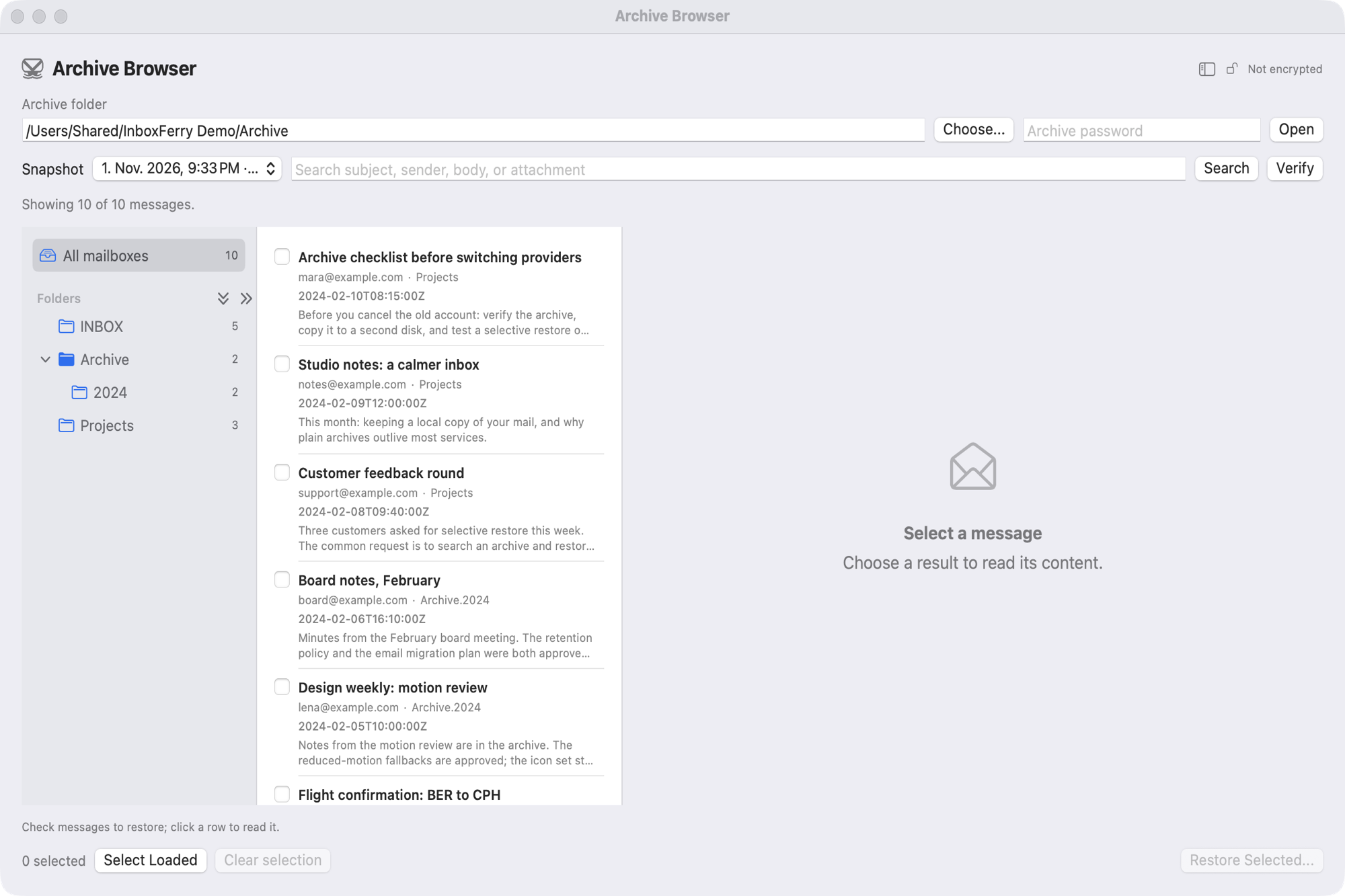
The Archive Browser opens a backup read-only. Nothing is written to an account until you select messages and confirm the restore.
- Read-only by default. Browse folders, messages, and attachments without changing the archive.
- Search everything. Find mail by subject, sender, body, mailbox, or attachment name.
- Restore only what you select. Additive restore leaves everything else in the destination untouched.
See it in action
After you install
- Open InboxFerry and add your IMAP account. Gmail, Outlook, iCloud, Fastmail, Yahoo, and self-hosted servers are supported.
- Choose Copy Mail, Backup, or Restore.
- Select folders and review the plan. Nothing is written until you start the run.
- When you are ready for unlimited transfers, use the in-app purchase.
Purchases and updates
Purchases are processed by Apple and tied to your Apple ID. Use Restore Purchases in the app if you move to another Mac. Updates are delivered through the Mac App Store.
Refunds are handled by Apple. See the Refund Policy for details.
Before you back up
.inboxferry archives are plaintext on disk. Use FileVault or another encrypted volume, and keep an independent copy of any archive you cannot afford to lose. See the FAQ for details on scheduling, cancellation, and what Mirror and Move modes do.